9.13 · Settings
Workout
Activity type, boxes, heart rate.
Activity: Skip picking the type on every new project.
Caving, Hiking or Training: the type a new project starts with and how it's saved to Apple Health. See Caving Workouts and SRT, Running, Crawling.
Heart: Live effort on trips, best with a watch.
Reads heart rate from Apple Health while a workout runs. Best with an Apple Watch; other watches that save heart rate to Health work too, but their readings can lag until their app syncs. A change takes effect on the next workout. See 7.1.2 Heart Rate, Depth and Elevation.
Workout boxes: See the numbers you care about mid-trip.
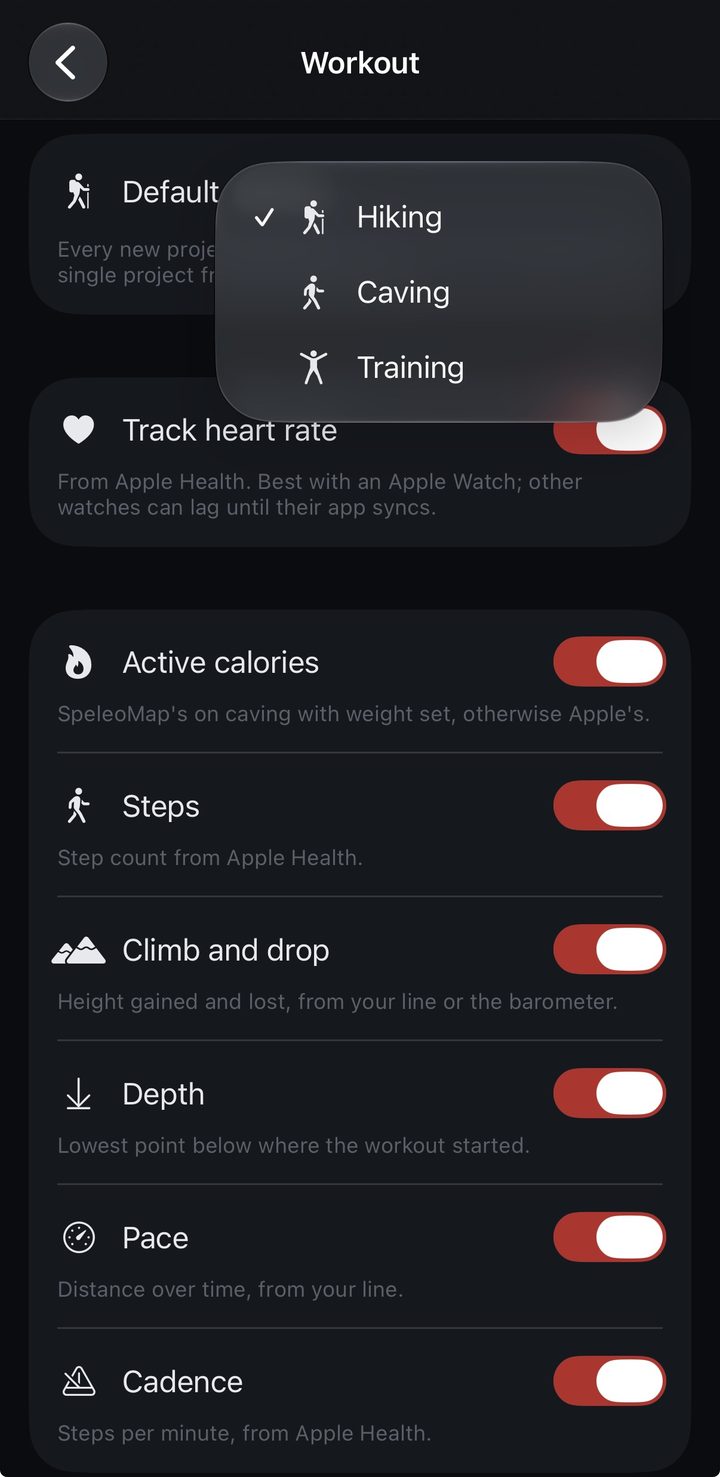
Show or hide each box on the workout screen:
See 7.1.1 Start, Screen and Summary.- Calories: SpeleoMap's own estimate on caving trips when your weight is set, otherwise Apple's.
- Steps: step count from Apple Health.
- Climb: height climbed and dropped, from your line or the barometer.
- Depth: the lowest point below where the workout started.
- Pace: distance over time, from your line.
- Cadence: steps per minute, from Apple Health.
Mentioned in: 7.1 Caving Workouts · 7.2 SRT, Running, Crawling